 QR Code Scanner
To create a free QR code, open a QR generator, choose what the code should contain (link, text, Wi-Fi, contact), enter the data, and save the image. In the QR Code Scanner app this takes under a minute — including custom colors, gradients and your logo — with no sign-up and no expiry.
Restaurant menu, business card, event poster, product packaging, Etsy shop insert — a QR code turns anything printed into a link. The catch with most online generators: free tiers that quietly expire your codes, watermark them, or demand an account and a monthly plan for basic customization. Here's how to make codes that are actually free and actually yours.
Create a QR code in 4 steps
- Open the generator. In the QR Code Scanner * Barcode Reader app, tap the create tab (the QR grid icon).
- Choose the content type. Website link, plain text, phone number, contact card, email — or a Wi-Fi network guests can join with one scan.
- Enter your data — for a link, just paste the URL.
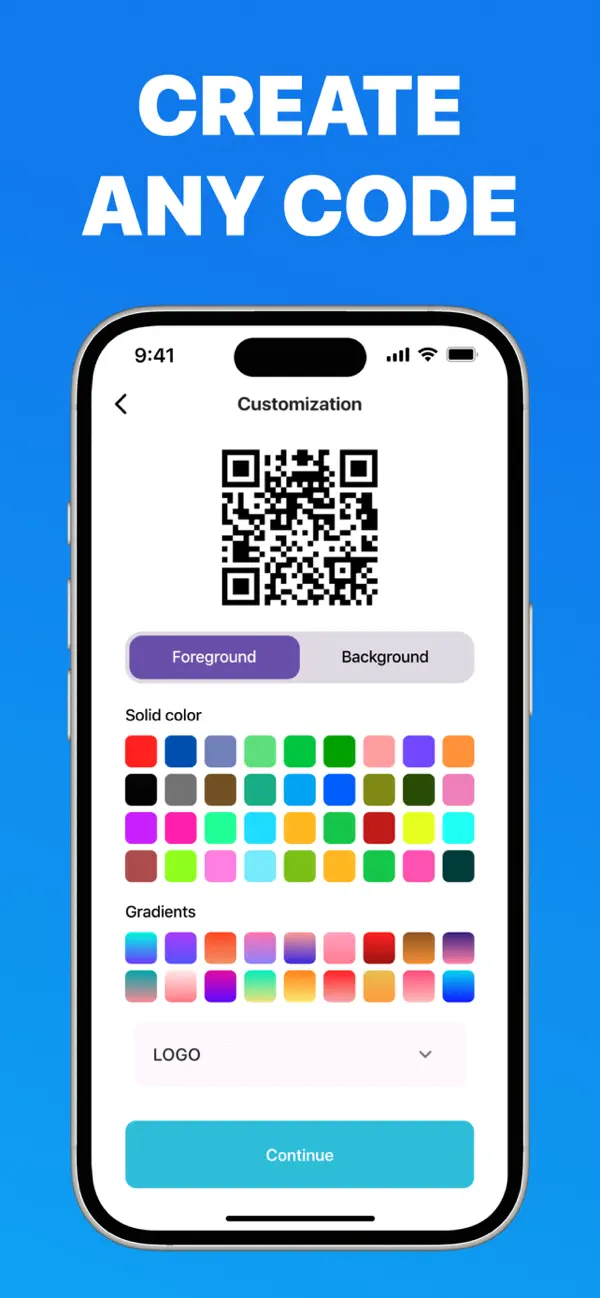
- Customize and save. Pick foreground and background colors, apply a gradient, embed your logo, then save or share the finished code anywhere.
Design rules for QR codes that always scan
- Contrast is king. Dark foreground on a light background scans best. Avoid light-on-dark inversions for print.
- Logos are safe — within reason. Error correction lets a centered logo cover part of the pattern. Test-scan after adding one.
- Leave a quiet zone. Keep a white margin around the code (the app does this automatically).
- Size for the distance. A code on a poster viewed from 2 m should be at least 5 cm wide; a business card code can be 2 cm.
- Always test before printing. Scan your own code with the scanner from a realistic distance.
Static vs. dynamic codes — why "free" often isn't
Online generator sites push dynamic QR codes: your code points to their server, which redirects to your link. That enables scan tracking — but it also means your code dies when your free trial does. Every printed menu and poster becomes worthless.
The codes you create in the app are static: the data lives inside the pattern itself. They work forever, offline, with no account — and nobody between your customer and your content.
Bulk creation for business
Need a code per table, per product, or per event ticket? The app supports batch generation, so you can produce a series of codes in one session instead of one at a time — a feature most free web tools lock behind paid plans.
Your first custom QR code is 60 seconds away
Colors, gradients, logos, bulk creation — free, no watermark, no sign-up, and your codes never expire.
Frequently asked questions
Do free QR codes expire?
Static codes made in the app never expire — the data is encoded in the pattern itself. Only dynamic codes from online services that redirect through their servers stop working when you stop paying.
Can I add a logo and still have the code scan?
Yes. Error correction means a centered logo still scans reliably. Keep strong color contrast and test-scan before printing.
What types of QR codes can I create?
Links, text, phone numbers, contact cards, email and Wi-Fi access — plus standard product barcodes, individually or in bulk.